Authenticate a merchant after setting up the SDK. Use the OAuth 2.0 authorization code flow for new integrations.
Implementing authentication with OAuth 2.0
Use the OAuth 2.0 authorization code flow to obtain an access token for the merchant. The SDK does not support tokens from the client credentials flow.
Log in with an OAuth access token
Pass the user-scoped access token obtained through your OAuth authorization code flow to the SDK. Client credentials tokens are not supported.
SumUpSDK.login(withToken: accessToken) { success, error in
    guard success, error == nil else { return }
    // The merchant is logged in. You can now start a checkout.
}
[SMPSumUpSDK loginWithToken:accessToken completion:^(BOOL success, NSError *error) {
if (!success || error != nil) { return; }
// The merchant is logged in. You can now start a checkout.
}];Implementing authentication with view controller
The SDK can also display its own login screen. This is the native login used in the quickstart. Use OAuth for new production integrations.
Logging the user in
Native login uses the user’s default merchant account and does not offer an account selector. For users with access to multiple merchant accounts, we recommend using a managed user account created in the intended merchant. Alternatively, set the default merchant account before logging in. See merchant account setup for native SDK login.
Present the login screen from a visible UIViewController. Only continue when success is true. The merchant can cancel without an error, and the SDK also returns success = false if a merchant is already logged in.
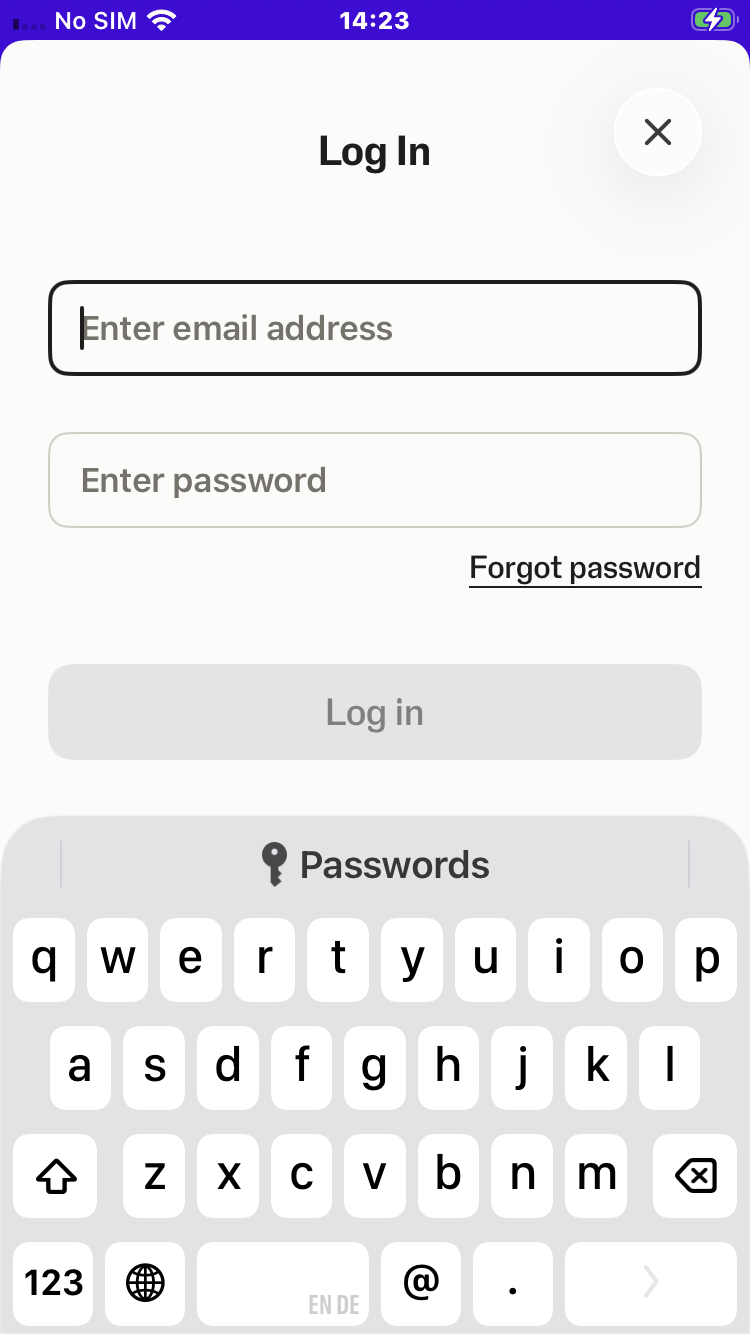
SumUpSDK.presentLogin(from: self, animated: true) { success, error in
    guard success, error == nil else {
        print(error?.localizedDescription ?? "Login was cancelled or a merchant is already logged in")
        return
    }
    print("Merchant logged in")
}
[SMPSumUpSDK presentLoginFromViewController:self animated:YES
completionBlock:^(BOOL success, NSError *error) {
if (!success || error) {
NSLog(@"%@", error.localizedDescription ?: @"Login was cancelled or a merchant is already logged in");
return;
}
NSLog(@"Merchant logged in");
}];Logging the user out
Log out before switching merchant accounts:
SumUpSDK.logout { success, error in
    guard success, error == nil else {
        print(error?.localizedDescription ?? "Logout did not succeed")
        return
    }
    print("Merchant logged out")
}
[SMPSumUpSDK logoutWithCompletionBlock:^(BOOL success, NSError *error) {
if (!success || error) {
NSLog(@"%@", error.localizedDescription ?: @"Logout did not succeed");
return;
}
NSLog(@"Merchant logged out");
}];Verify the account
Check SumUpSDK.currentMerchant and its currencyCode before creating a checkout. For the native login flow, verify that you are using the intended sandbox or live merchant.
Next step
Connect and manage a card reader, or activate Tap to Pay on iPhone.