After initializing the reader SDK, authenticate the merchant before opening reader settings or starting checkout.
Transparent authentication
Use the OAuth 2.0 authorization code flow to obtain an access token for the merchant. Pass it to the SDK to log in without showing the SDK’s login screen.
SumUpLogin sumupLogin = SumUpLogin.builder(mAffiliateKey).accessToken("MY_ACCESS_TOKEN").build();
SumUpAPI.openLoginActivity(MainActivity.this, sumupLogin, 1);
For information about how to obtain a token, please see the Authorization Documentation.
If the token is invalid, SumUpAPI.Response.ResultCode.ERROR_INVALID_TOKEN is returned.
Retrieve data of the active merchant account
Call getCurrentMerchant() to read the logged-in merchant’s details. Check isLoggedIn() first.
	if (!SumUpAPI.isLoggedIn()) {
		// no merchant account currently logged in
	} else {
		Merchant currentMerchant = SumUpAPI.getCurrentMerchant();
	}
Logging merchant in and out
Native login uses the user’s default merchant account and does not offer an account selector. For users with access to multiple merchant accounts, we recommend using a managed user account created in the intended merchant. Alternatively, set the default merchant account before logging in. See merchant account setup for native SDK login.
To display the SDK’s login screen, create a login request with your Affiliate Key:
SumUpLogin sumupLogin = SumUpLogin.builder(mAffiliateKey).build();
SumUpAPI.openLoginActivity(MainActivity.this, sumupLogin, 1);
To integrate with the Activity Result API, use SumUpLoginContract:
val loginLauncher = registerForActivityResult(SumUpLoginContract()) { result ->
        // Login result
    }
loginLauncher.launch(sumupLogin)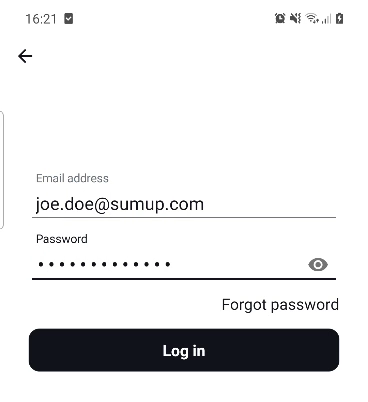
For new production integrations, use OAuth authentication.
Log out before switching merchant accounts:
SumUpAPI.logout();Next step
Connect and manage a card reader. For the separate Tap to Pay SDK, use its authentication instructions.